- Getting the message out
- Emergency Satellite Communicators
- What's the difference with all the device systems? Which is right for me?
- Smartphone App
- Initial Setup
- User Experience
- WIFI, Mobile or Sat - it’s got you covered
- Would you like breadcrumbs* with that?
- Weather
- Coverage
- Cost
- Battery status issue with app and Zoleo's response
Getting the message out
Where I live in the Blue Mountains (where much to the locals’ dismay, it is considered part of Greater Sydney), it doesn’t take long for mobile coverage to drop out along even the most popular bushwalking tracks and trails.
The sharing/democratisation of information online has meant that so many more of us are finding places to go, but also need to consider what is ‘responsible’ adventuring. Responsible to the earth, to our loved ones and to the community. And if we consider community as including the emergency services and those who may need to come and give me a hand if something goes wrong in the bush, then carrying some form of a satellite communication device is absolutely essential.

Emergency Satellite Communicators
There are two main types:
1. Personal Locator Beacons (PLB)
One button, one job, one-way communication = SOS, which uses the non-profit, global humanitarian Cospas-Sarsat System (made up of GPS, Galileo and GLONASS – these are Mid Earth Orbit ‘MEO’ satellites plus others) to communicate directly with emergency services, such as AMSA in Australia; and
2. Handheld Satellite Communicators
Such as Zoleo, Garmin InReach/Messenger or ACR Bivy Stick, which communicate on the Iridium network or SPOT devices that use the Global Star network. These are all in Low Earth Orbit ‘LEO’. When SOS is activated from these devices it is received via a 3rd party 24/7 emergency call centre (usually in the US) and relayed to the relevant local emergency operations centre, such as AMSA (Australian Maritime Safety Authority) in Canberra.
Apart from using different satellite networks, the main difference for us as consumers, is that devices like Zoleo, allow us to communicate two-way with friends, family or emergency services. This could be anything from, “Hey, I’m having a ball, staying another night out here” or “Terrain tough going, very slow and running late. ETA at cars 11 pm. All OK.” To critical medical or rescue information such as:
“Dan bitten by snake at 2.35pm. Applied comp bandage and immobile. Nausea, mild delirium, headache. Storm approaching, built shelter.”
2-way satellite communicators allow for details to be shared in an emergency
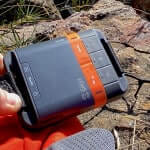
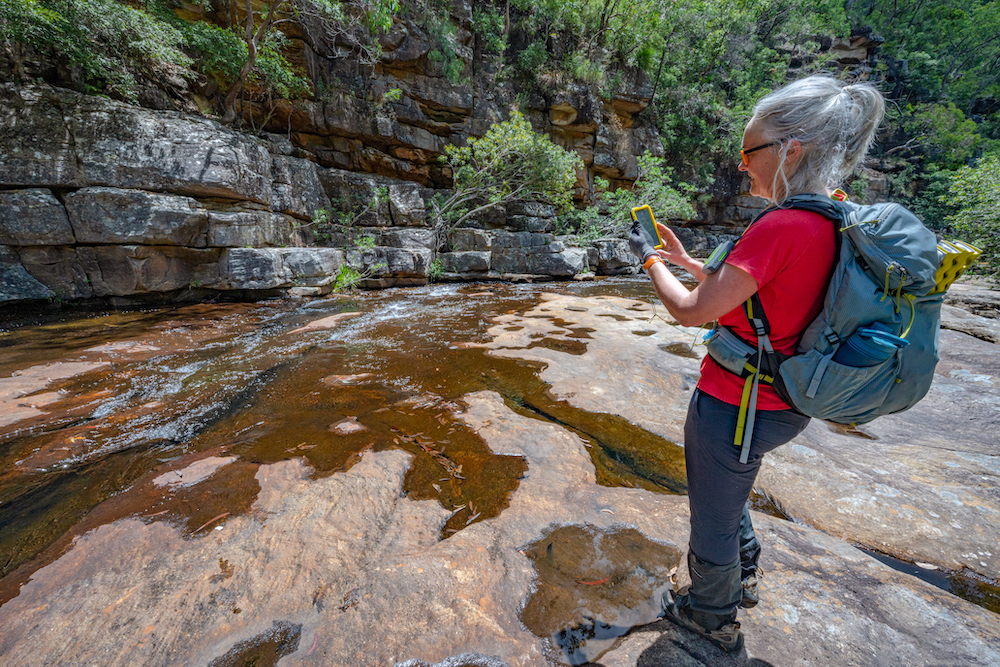
Zoleo (fun fact: the name comes from the LEO satellite system) is a simple-to-use, 150-gram, water and shock-resistant gadget that can do this and much more.
It can be used stand-alone for basic communications like sending an SOS to emergency services via the 24/7 Global Rescue emergency centre, or a one-touch, ‘I’m OK’, to your pre-programmed emergency contact person.
Every message automatically includes your latitude and longitude coordinates and a link for recipients to view your location on Open Street Map.
What’s the difference with all the device systems? Which is right for me?
Although I tested this device over several months and have used different emergency communication devices (InReach, Spot), I’m not an expert. On my Rescued Podcast, I interviewed expert Linda Berryman from Australian Maritime Safety Authority (AMSA) in episode 6, where she clearly explains all the differences between the various devices and satellite systems to help you make an informed choice of what is right for you. Available on all pod platforms.
Smartphone App
It was when I paired the device with the Zoleo smartphone app, that I really appreciated the full spectrum of what this palm-of-your-hand bit of kit can do. Thankfully, it’s not weighed down with a bunch of functions you don’t want – like connecting to social media. The clever people behind this (Aussie company Beam Communications and Roadpost in Canada) have created a Goldilocks gadget with the perfect amount of functions – not too few and not too many – and as a consequence, it feels just right.
Initial Setup
Out-of-the-box, the account setup via myzoleo.com was straightforward and you’re stepped through adding your device, choosing your monthly plan, nominating your SOS and Check-in contacts (they can be different) and adding extra features like Location Share+*.
It’s here that you choose your @zoleo.com email address and are issued with an Aussie mobile number so you can receive text emails and SMS. Hint: If your emergency contacts have these details they can forward them to local Police, so they can attempt to contact you direct in the event of an emergency. This is in addition to the ongoing communication channel that you have with Global Rescue if you activate an SOS from the app.

User Experience
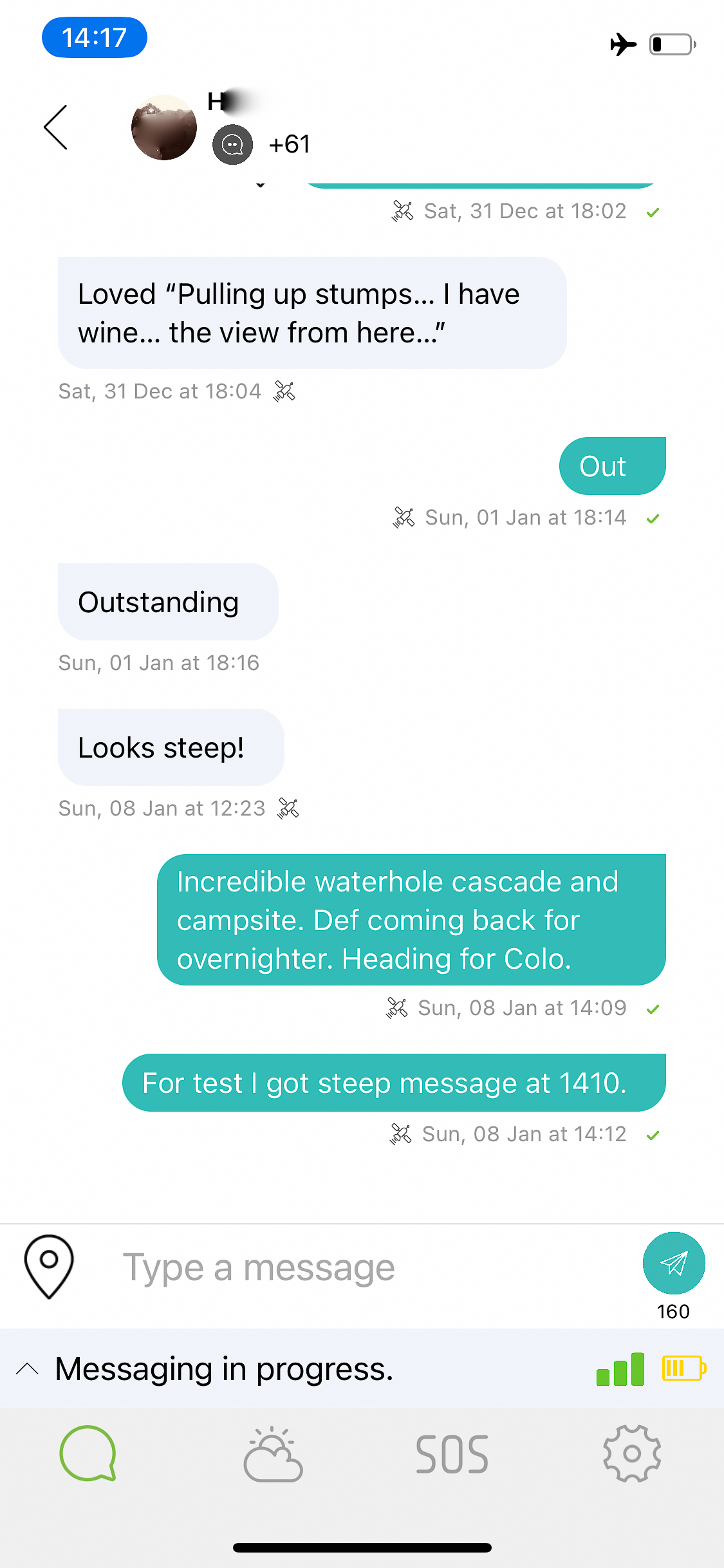
The app interface, which mimics standard messaging apps like SMS, WhatsApp or Messenger, is super intuitive and easy to use.
Screen indicators show battery status (with an impressive 200+ hours from a 2-hour charge time) and bars that indicate satellite coverage are particularly helpful.
During a test, deep in the Jamison Valley, it was interesting to watch the coverage bars go up and down as the (invisible during daylight) LEO satellites zoomed past at about 28,000 km/hour (that’s about 7.8 km per second) around 2,000 km above me.
It was here that I realised just one of the smarts in the Zoleo: Whilst you can change the interval time between when it checks for messages (I had it set at 12-minute intervals), if it detects there are no satellites above, it won’t chew battery life by continually trying to send/receive. After a few minutes of watching the screen, I saw 3 bars of satellite suddenly appear and instantly, the Zoleo started to send/receive, even though the 12 minutes wasn’t up. Smart.

WIFI, Mobile or Sat – it’s got you covered
Not only does the Zoleo not chew battery, but it also works cleverly to not chew $$. When using the app, it switches seamlessly between available WIFI, mobile network or satellite, to send/receive by satellite as the last resort. This means that if I am on the basic subscription ($29.99/mth), I’m not wasting a satellite message on something that could have been sent by SMS.
Would you like breadcrumbs* with that?
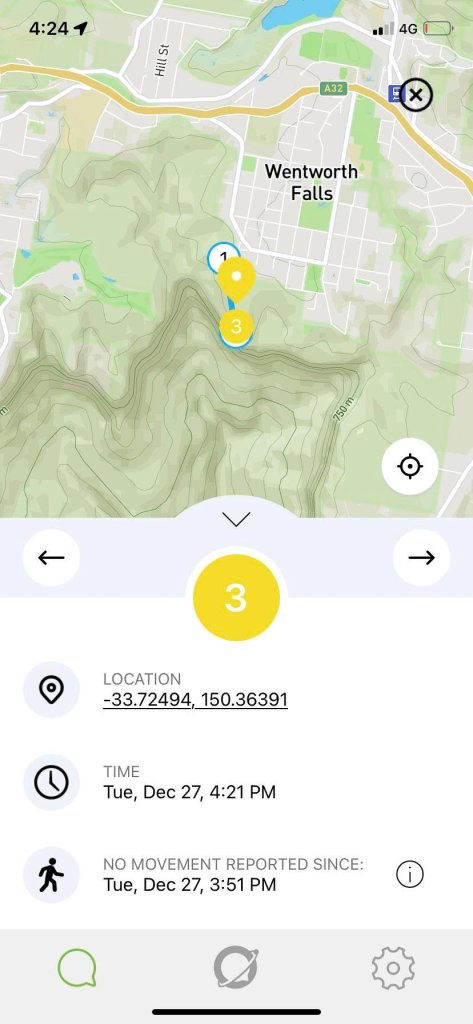
The added fries feature of a Zoleo subscription is the option to add the Location Share+ feature for $7.95 per month. If your contacts have the Zoleo App installed, they can follow along vicariously, as the armchair traveller on your adventures. This is perfect for nervous parents (or principals) of school or Scout groups.
Weather
On longer trips, the ability to access weather forecasts can be the difference between a great experience and a pretty ordinary one. Getting an up-to-date 4-day forecast (for your location or a different one) is as easy as tapping the cloud icon on the app. This is included in the monthly plans and counts as an SMS.
Coverage
All satellite communications need a clear view of the sky – and the more open terrain – the better. If you’re in a narrow canyon or gorge, with only a slit of sky above you, it means there’s less time for those zooming satellites to be above you receiving your message. It may get it eventually, but it will take much longer.
Personally, I’ve found Iridium to be more effective than GlobalStar and this will impact my choice of satellite communicator in the future, however, it is important to note that I also carry a PLB. This is a personal choice.
Cost
At $299-$345 AUD** plus monthly subscription of either $29.99 or $49.99, versus $799 for Garmin InReach Mini 3 (or $550 Garmin InReach Mini 2), Garmin Messenger from $449, or ACR Bivy Stick for a bargain at $199, the Zoleo stands above its competitors as a reliable, simple, satellite communicator.
**Pricing as at July 2026.
Buy Zoleo here.
Battery status issue with app and Zoleo’s response
When I updated this article in July 2026, I received some feedback from a couple of folk in the LotsaFreshAir Facebook community, who reported issues with the app misquoting the battery status levels. It would show it well below what the actual % was. I contacted Zoleo, who although denied this being a ‘known issue’, recommended checking the battery on the device. Here’s how:
How to check Zoleo battery status on device
- Briefly press the power button while the device is powered on.
- The battery level will be indicated by the four LEDs:
- 4 LEDs blinking green: Battery level is 75-100%
- 3 LEDs blinking green: Battery level is 51-74%
- 2 LEDs blinking green: Battery level is 25-50%
- 1 LED blinking green: Battery level is below 24%
A shorter version of this article first appeared in Great Walks Magazine. I received a free device for review purposes.